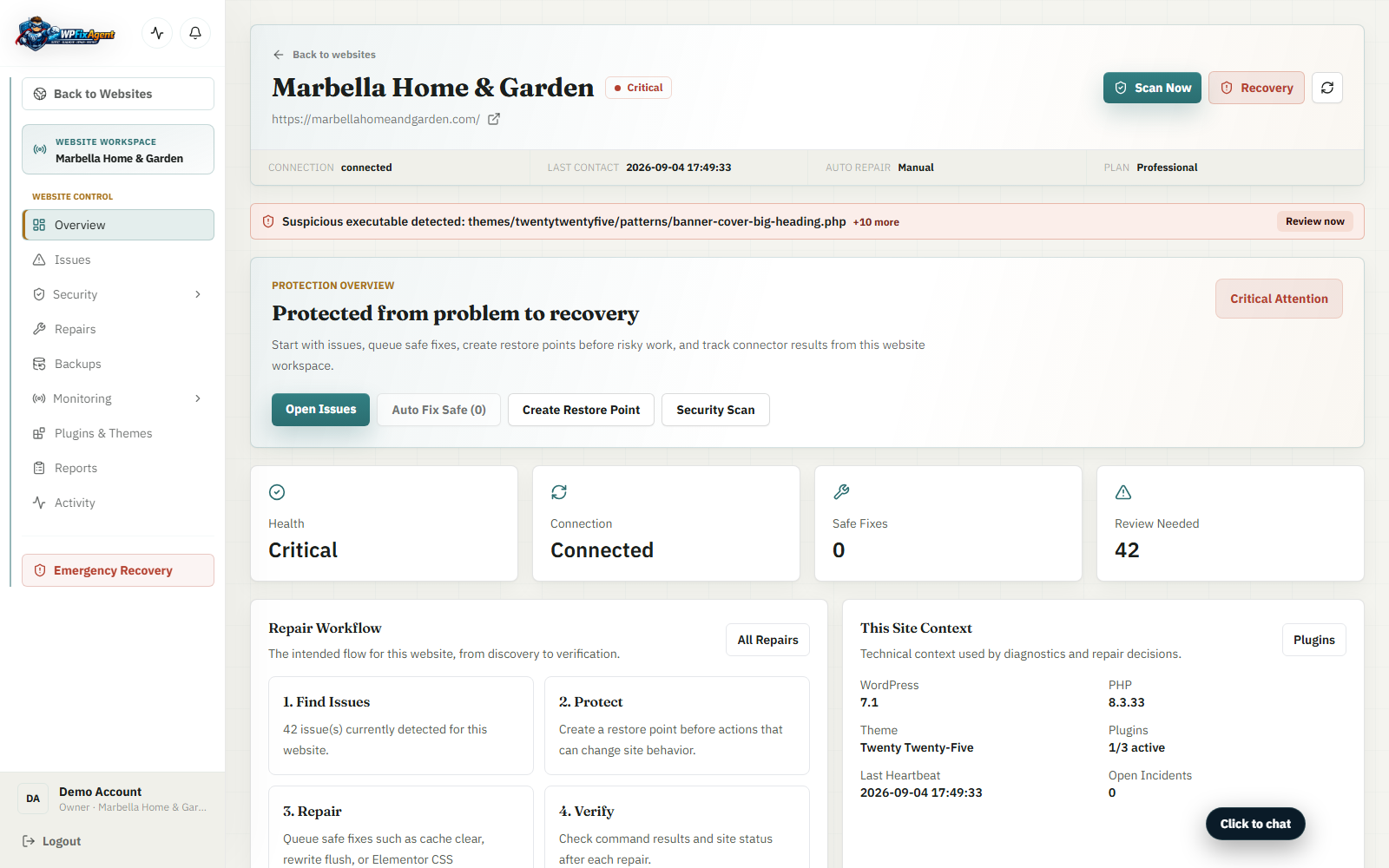
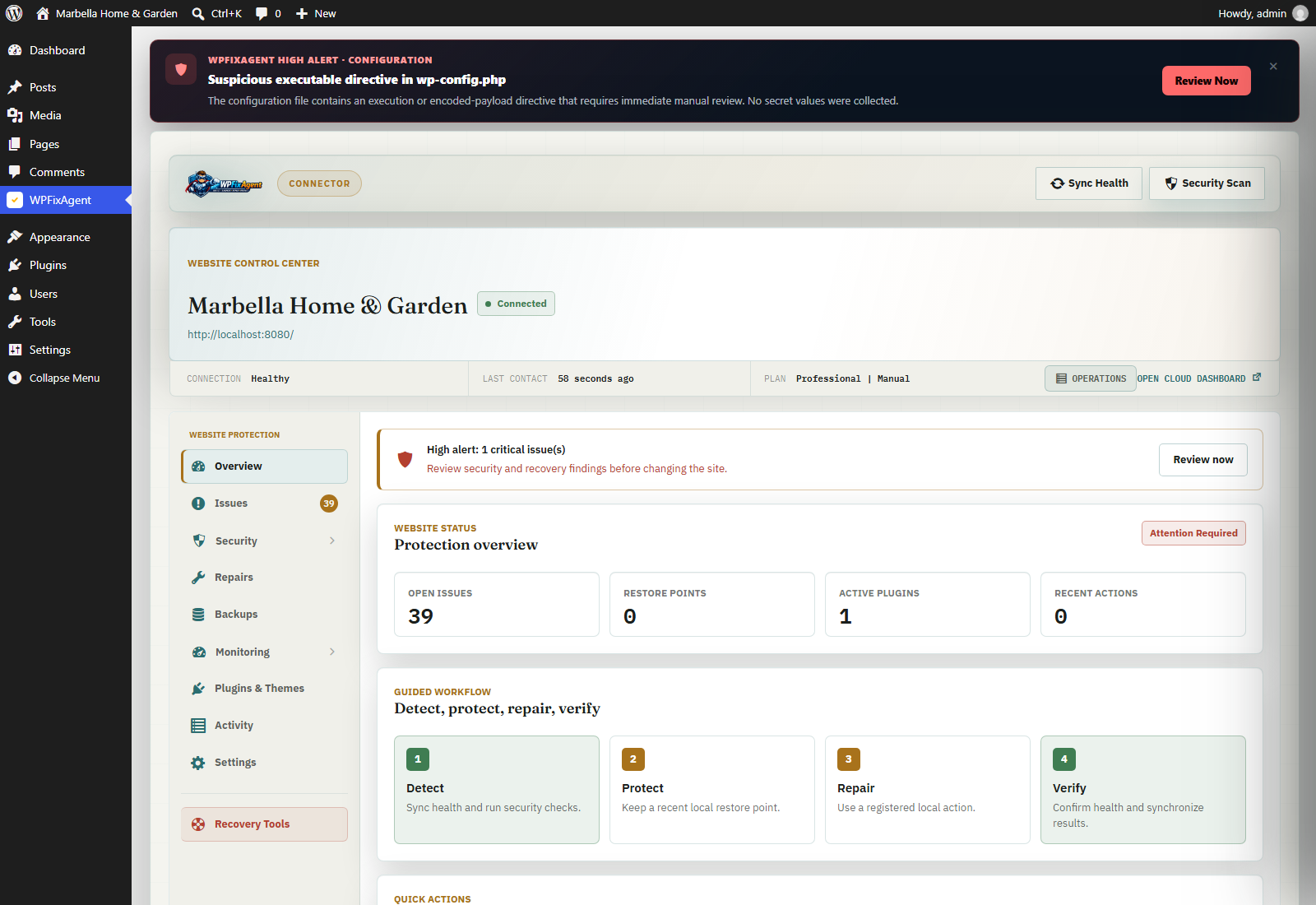
The autonomous repair platform for WordPress

WordPress problems.Diagnosed. Fixed.Automatically.

Monitoring tells you something broke. WPFixAgent detects it, explains the likely cause, protects the site with a restore point, runs the repair, and verifies it actually worked -- even reaching a site that's completely down.

Free 14-day trial, no card required  ·  No hosting password for standard operation  ·  Cancel future renewals anytime

wpfixagent.com/websites/store.example.com

Incident

Plugin conflict detected

Critical
00:00DetectedFatal error traced to woocommerce-bundle-x
00:04DiagnosedAI: plugin conflict, safe to isolate
00:06ProtectedRestore point created and verified
00:11RepairedConflicting plugin isolated
00:18VerifiedFresh scan confirms site healthy
Site recovered

24/7

Connector monitoring

AI-assisted

Diagnosis before repair

Backup-protected

Every repair

FTP/SFTP

Dead-site rescue

The gap in WordPress maintenance

Most tools stop at the alert. That's the easy part.

Traditional WordPress monitoring is good at telling you something is wrong. What happens next is usually still on you -- open wp-admin, work out the cause, make the change, hope it holds.

Traditional monitoring tools
DetectAlert

A notification lands in your inbox. Someone still has to open the site, work out what broke, and fix it by hand.

WPFixAgent
DetectDiagnoseProtectRepairVerify

The same finding becomes a registered, backup-protected repair -- queued automatically or approved with one click, then verified before it's called done.

The WPFixAgent repair engine

Detect. Diagnose. Protect. Repair. Verify. Recover.

Every finding on WPFixAgent moves through the same six-stage pipeline -- so a repair is never a guess, and it's never irreversible.

Detect

Health signals, errors, vulnerabilities, malware

Diagnose

AI-assisted root-cause explanation

Protect

Restore point before anything changes

Repair

Signed, allowlisted playbook runs

Verify

Fresh scan confirms it actually worked

Recover

Rollback, or FTP rescue if all else fails

Detect

Connector heartbeat, WordPress and PHP versions, plugin/theme inventory, WP-Cron, disk space, fatal-error signals, vulnerability matches, and independent malware and core-integrity scanning -- continuously, not on a once-a-week schedule.

Diagnose

Redacted incident context goes to an AI model that explains the likely cause and recommends a specific registered repair playbook. AI never receives authority to execute arbitrary code -- only to recommend a known, allowlisted action.

Protect

Before any risky change, a local restore point is created and validated. Low-risk actions that don't change site behavior skip this step; anything that could break the site doesn't run without it.

Repair

A signed, allowlisted command executes for that exact website only -- quarantine a file, reinstall a plugin from its official source, clear a stuck maintenance flag, apply an update, or isolate a conflicting plugin.

Verify

A fresh health scan, and where applicable a PageSpeed or browser smoke test, confirms the repair actually worked. Completion is never assumed just because a command returned successfully.

Recover

If verification fails and a valid restore point exists, rollback can trigger automatically. If the site never had the connector installed and is completely unreachable, Emergency Recovery reaches it over FTP/SFTP instead.

Auto Repair

Find the issue. Fix it safely. Verify the result.

Safe Auto Fix groups eligible low-risk issues into an automatic queue, while malware, database, and uncertain failures stay routed to human review -- every run backup-protected and verified before it's called done.

1

Issue detected

Health signals, incidents, and vulnerability matches feed a prioritized, site-specific Issue Center.

2

Diagnosis & safety check

The playbook's risk level and backup requirement are evaluated before anything is queued.

3

Restore point created

A local database and wp-content snapshot is created and validated first, when the action requires one.

4

Repair executes

A signed, allowlisted command runs through the connector for that exact website only.

5

Verification & audit

A fresh scan confirms the fix held. The issue, action, result, and outcome are written to repair history.

Repair run · #RR-48213
AnalyzeOutdated plugin flagged with available update
BackupComponent snapshot created
RepairUpdate applied from official source
VerifyPost-update health check passed
AuditLogged to site repair history

Emergency Recovery

Even when WordPress won't load, WPFixAgent can still help.

A site can be white-screened or completely unreachable before WPFixAgent was ever connected. Using FTP or SFTP credentials entered once and never stored, WPFixAgent locates the WordPress install and deploys a standalone rescue file -- no working wp-admin required.

1

Site checked over HTTPS

Confirms the current unreachable state before attempting anything.

2

FTP/SFTP connection established

Credentials are used once for this operation and never stored.

3

Rescue file deployed

A standalone recovery script runs independently of the normal plugin stack.

4

Site back online

Once reachable again, normal pairing and monitoring can proceed.

Emergency Recovery · store.example.com
CheckedHTTPS request confirms site unreachable
ConnectedFTP/SFTP session established
DeployedStandalone rescue file executed
RecoveredSite responding again -- pairing available

Available on Professional and Agency plans.

Security

Independent scanning. Real remediation, not just a report.

Malware detection and WordPress core-file integrity checks are computed by WPFixAgent itself -- no third-party vendor, no external API key required to keep working. When something is found, it doesn't stop at a list.

1

Independent malware scanning

Behavioral and signature-based detection, self-built and self-hosted.

2

Core-file integrity checks

Compared directly against a checksum manifest built from the official wordpress.org release.

3

Non-destructive quarantine

A suspicious file is disabled and locked away, never deleted outright -- a false positive is never destructive.

4

Reinstall from official source

When malware is injected into a real plugin's files, redownload and replace every file from the official release.

5

Configuration hardening

Disable public debug-output exposure and the in-dashboard file editor after snapshotting current configuration.

Security scan · store.example.com

Suspicious executable detected

High alert
Finding matched to exact path and hashComplete
File moved into locked quarantineComplete
Plugin reinstalled from official sourceComplete
Re-scan confirmed cleanComplete

Plugin Conflicts & MU Safe Mode

A plugin fatal gets caught before you ever see a white screen.

MU Safe Mode runs before your normal plugin stack loads. The instant it catches a plugin-caused crash, it isolates that exact plugin -- and a dedicated conflict workflow can test candidates live to turn 'probably this plugin' into evidence.

1

Fatal error caught

The must-use loader detects a plugin-caused crash on the very next request.

2

Responsible plugin isolated

Safe Mode quarantines the exact plugin, not the whole site.

3

Live candidate testing

A dedicated workflow backs up the site, isolates one candidate plugin at a time, and tests.

4

Automatic restore

Each candidate test restores automatically, whether or not it was the cause.

MU Safe Mode · incident-8842
DetectedPlugin fatal detected on next request
IsolatedSuspected plugin blocked
RecordedDashboard incident created
AuditedRecovery action recorded

Monitoring

Everything that matters, watched continuously.

Monitoring isn't a checkbox before repair -- it's the baseline every diagnosis and every verification compares against.

Uptime & HTTP status

Independent public reachability checks alongside connector heartbeat.

WordPress & PHP health

Version drift, fatal errors, and environment signals tracked continuously.

Performance

PageSpeed and browser smoke tests confirm a site is actually fast and functional.

Security signals

Independent malware scanning and core-file integrity checks, no third-party vendor.

Plugin & theme inventory

Every installed component tracked against available updates and known issues.

Incidents & alerts

Every finding becomes a prioritized, site-specific issue -- not a buried email.

Built for Agencies

One dashboard for every client site, not thirty browser tabs.

Organization-scoped websites, six team roles, and per-client repair history turn WordPress maintenance from a fire drill per site into a single operating system for the whole fleet.

1

Fleet-level visibility

See health, incidents, and repair status across every connected site at once.

2

Team roles & permissions

Owner, admin, developer, support, viewer, and billing roles, scoped to the organization.

3

Per-client history

Repair runs, recovery actions, and audit logs stay separated by website and client.

4

Client-facing value

Show clients exactly what was found and fixed, without exposing your own operational tooling.

Fleet overview · 12 sites

12

Sites protected

3

Open issues

47

Repairs this month

client-store.comHealthy
client-blog.comRepair in progress
client-shop.comNeeds review

What WPFixAgent does that most WordPress tools don't

Monitoring tells you something's wrong. This actually fixes it.

Plenty of tools watch your site and email you when something breaks. Here's what happens after that email, on WPFixAgent.

Dead-site recovery, no connector required

White-screened, unreachable, never even paired? WPFixAgent connects over FTP/SFTP and deploys a standalone rescue file to bring it back -- no working wp-admin, no plugin installed beforehand.

Most monitoring tools can't touch a site that's already down

Quarantine and reinstall, not just a scan report

When malware is found, it's disabled and locked away -- or the plugin is redownloaded from its official source and every tampered file replaced. Not a list of findings for you to act on yourself.

Most security add-ons stop at detection

A plugin fatal gets caught and quarantined automatically

MU Safe Mode runs before your normal plugin stack loads. The instant it catches a plugin-caused crash, it isolates that exact plugin -- no alert to wait on, no manual restart.

Most tools alert you and wait

See everything WPFixAgent does

Everything, organized

The complete platform, grouped by what it actually does.

Monitoring

  • Connector heartbeat & health baseline
  • WordPress, PHP, plugin, theme inventory
  • WP-Cron, REST, disk, and database signals
  • Independent uptime & PageSpeed checks
  • Known-CVE vulnerability scanning
  • Broken-link detection & redirects
  • Email & in-app notifications

Diagnosis

  • AI-assisted incident explanation
  • Plugin conflict candidate detection
  • Severity-ranked Issue Center
  • Redacted context, never raw credentials

Repair

  • Safe Auto Fix for low-risk issues
  • One-click supported repair actions
  • Plugin, theme, core & database updates
  • Reinstall from official source

Security

  • Independent malware scanning
  • Core-file integrity checks
  • Non-destructive quarantine
  • Configuration hardening

Recovery

  • MU Safe Mode crash containment
  • Signed CLI rescue bridge
  • FTP/SFTP dead-site recovery
  • Automatic rollback on failed verification

Agency & Reporting

  • Multi-site fleet dashboard
  • Six team roles & permissions
  • Per-client repair & recovery history
  • Client-ready PDF reports
  • Complete audit logs

Common questions

Before you connect a site

No. It resolves supported failures through registered playbooks and preserves clear evidence for issues that need a developer, plugin vendor, database administrator, or hosting provider.

Free 14-day trial · no card required

Give every WordPress site a safer path from incident to verified recovery.

Install the connector, pair with a one-time token, and start monitoring in minutes -- upgrade whenever you're ready.

Start Free Trial